Organizations in Tupel allow you to manage multiple business entities under a single umbrella, with customizable team access and permissions.
What is an Organization?
An organization is a top-level container in Tupel that helps you:
- Group multiple business entities together
- Manage team access across those entities
- Control permissions with different user roles
- Centralize API key management
Navigating Your Organization
Access your organization by clicking the organization name in the top header. This displays your organization dashboard showing all entities in the organization.
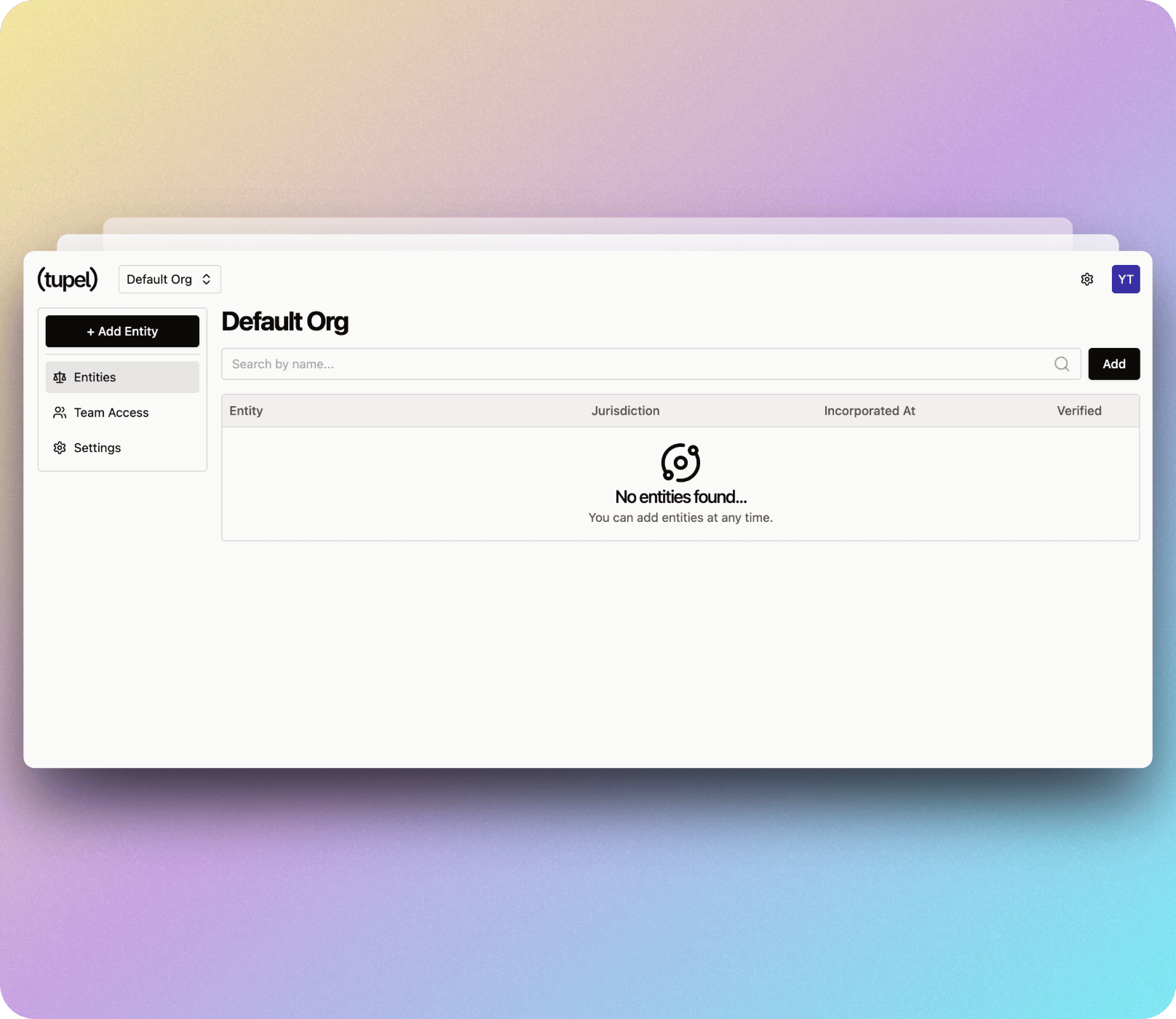
The dashboard displays:
- All entities with their jurisdiction and incorporation date
- Entity verification status (checkmark icon)
- Quick access to Team Access and Settings via the left sidebar
Key Features
Multiple Organizations
As a user, you can create and own multiple organizations. Switch between them using the organization dropdown menu in the top header.
Team Collaboration
Invite other Tupel users to join your organizations through the Team Access page.
Role-Based Access
Assign different permission levels to control what team members can access and modify.
Entity Management
Add and manage any number of business entities within your organization.
Organization Roles
Owner: Full access to all organization settings, entities, and team management. Can delete the organization.
Admin: Can manage entities and team members, but cannot delete the organization.
Member: Can view and interact with entities based on assigned permissions.
Organization vs Entity
- Organization: The top-level container for your team and multiple businesses
- Entity: Individual business entities that borrow funds and conduct transactions
With your organization set up, you can efficiently manage multiple business entities while controlling exactly who has access to what information.