Track your referral performance and rewards through your referrals dashboard.
Accessing Your Dashboard
- Click your user avatar in the top-right corner
- Select "Referrals" from the dropdown menu
- Navigate to the "Referrals" tab if not already selected
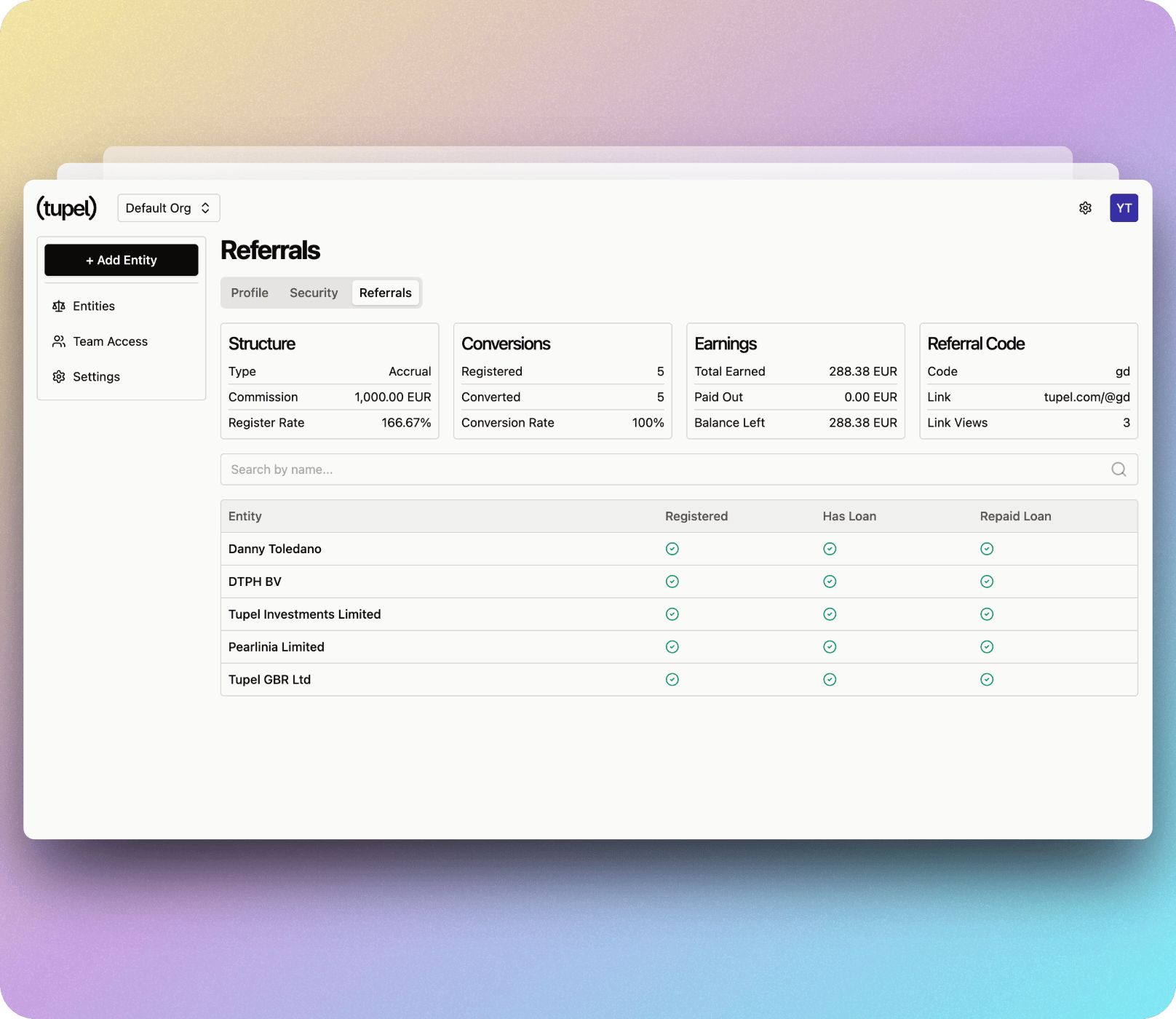
Dashboard Overview
Your referrals dashboard shows three key sections at the top:
Structure
- Type: The referral program type (e.g., Accrual)
- Commission: Your commission per referral (e.g., 1,000.00 EUR)
- Register Rate: Your conversion rate (e.g., 166.67%)
Conversions
- Registered: Number of people who signed up (e.g., 5)
- Converted: Number who qualified for rewards (e.g., 5)
- Conversion Rate: Percentage who converted (e.g., 100%)
Earnings
- Total Earned: Your total rewards (e.g., 288.38 EUR)
- Paid Out: Amount already paid to you (e.g., 0.00 EUR)
- Balance Left: Pending rewards (e.g., 288.38 EUR)
Understanding Referral Status
The table below shows all your referred entities with three status columns:
- Registered: Has the entity signed up? ✓
- Has Loan: Has the entity taken out a loan? ✓
- Repaid Loan: Has the entity repaid their first loan? ✓
All checkmarks indicate a fully qualified referral that has earned you rewards.
Tracking Performance
Monitor your referral activity:
- See which entities you've referred
- Track their progress through the onboarding journey
- View when each milestone is completed
- Calculate your potential and earned rewards
Sharing Your Link
The "Referral Code" section in the top-right provides:
- Your unique code (e.g., "gd")
- Your referral link (e.g., tupel.com/@gd)
- Link view count to track engagement
Use whichever format works best for your audience.